14-Aug-2026
Author: Om Educare
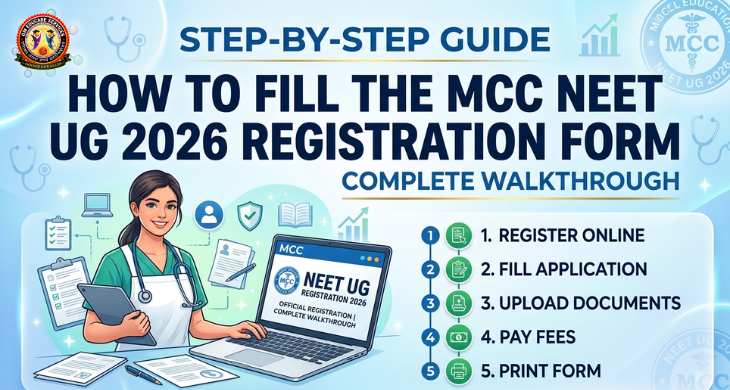
Registration on the MCC (Medical Counselling Committee) portal is the very first — and most crucial — step for every NEET UG 2026 aspirant applying for All India Quota, Deemed Universities, AFMC, or BSc Nursing seats. A small error at this stage can delay or even disqualify your counselling participation. Here is a complete, step-by-step breakdown of the MCC registration process for NEET UG 2026.
Always ensure you are on the official MCC domain before entering any personal details.
Using your NEET UG Scorecard, enter the following details accurately:
Once submitted, the system automatically fetches your Mobile Number and Email Address as registered with NTA/NEET — so make sure these are active and accessible.
Next steps:
Personal Details
Fill in your Gender, Nationality, Religion, Category, and Sub-category exactly as per your official documents.
AFMC Option
Indicate whether you wish to apply for Armed Forces Medical College (AFMC) — this is a separate consent step within the form.
12th Qualification Details
Double-check these entries against your original 12th marksheet to avoid mismatches during document verification.
Candidates must select the specific quota types they wish to participate in:
| Option | Applicable For |
|---|---|
| 15% All India Quota (AIQ) / Open Seats | AIIMS, BHU, AMU, JIPMER, and other central institutes |
| BSc Nursing | Candidates applying for nursing seats |
| Deemed Universities | Private/deemed institutes like KMC Manipal, Symbiosis, etc. |
| AFMC | Candidates opting for Armed Forces Medical College |
You can select multiple options depending on your eligibility and preference — but each comes with its own fee structure (see Step 6).
This is your last chance to catch typos or incorrect entries before the form is locked in — review every field carefully.
After final submission, log into your dashboard to complete the fee payment:
| Quota / Category | Registration Fee (Non-Refundable) | Security Deposit (Refundable) | Total Payment |
|---|---|---|---|
| AIQ (General / EWS) | ₹1,000 | ₹10,000 | ₹11,000 |
| AIQ (OBC / SC / ST / PwD) | ₹500 | ₹5,000 | ₹5,500 |
| Deemed Universities | ₹5,000 | ₹2,00,000 | ₹2,05,000 |
Important: Payment must be completed online, and choice filling will not be unlocked until this step is finished. Keep your payment receipt safe for future reference.
Every counselling season, fake websites and agents try to exploit aspirants during the registration and payment stage. Om Educare urges all candidates and parents to stay cautious:
Filling the MCC form correctly is the foundation of a smooth NEET UG counselling journey. If you need step-by-step assistance, document verification support, or guidance on choosing the right quota options, Om Educare is here to help.
📞 Helpline: 7676610620
📍 Offices in Gurugram | Jamshedpur | Lucknow | Jaipur | Prayagraj
Om Educare — Empowering Future Doctors
14-Aug-2026
14-Aug-2026
14-Aug-2026
01-Aug-2026
29-Jul-2026